TIBCO Migration: Map Adapters, Data Flows and Dependencies Before You Choose a Target
TIBCO Migration: Map Adapters, Data Flows and Dependencies Before You Choose a Target
Migration
November 12, 2026
Most TIBCO estates weren’t designed in one go. They evolved over years, as teams added BusinessWorks processes, EMS destinations, adapters, shared components and connections to new enterprise applications. Some of the people who built those integrations have since moved on. The result is an integration layer that still runs the business, but that nobody can fully describe.
That is the real problem with a TIBCO migration. When you cannot say which processes are live, which adapters they rely on or which systems are listening on a given queue, choosing a target platform is a guess. And even a good guess can go badly. A “simple” migration stalls when an undocumented bridge, timer or partner certificate surfaces halfway through the project.
This guide walks through the five steps that turn that guess into a decision: inventory, dependency mapping, complexity scoring, shortlisting against real requirements, and phased cutover with proper testing.
Why a TIBCO Migration Starts With an Inventory, Not a Platform
TIBCO has not announced an end-of-support date for the BusinessWorks 5.x platform and continues to maintain it alongside BW 6.x. That makes it tempting to wait. But individual releases, adapters and plug-ins have their own support timelines, so the pressure arrives in smaller steps:
In other words, a BW5 estate is not facing an imminent platform retirement. It is facing a steady series of upgrade, licensing and skills decisions: upgrade again, move to another TIBCO product, or leave TIBCO altogether. None of them can be made well without knowing what you actually run.
Staying on TIBCO can be the right answer. So can leaving. The inventory is what tells you which, and it is useful whichever way you decide.
Step 1: Inventory Every BW Process, Adapter and EMS Destination
Start with production to establish what the business actually runs. Then reconcile that inventory against development, test, staging and disaster-recovery environments. These often hold configuration differences, undeployed changes and dependencies that affect the migration.
What to inventory
Where to look
What to capture
BusinessWorks processes and subprocesses
BW5: deployed applications in TIBCO Administrator and Designer projects. BW6: bwadmin, bwagent and the Admin UI, plus application archives and projects in source control
Process name, starter type (timer, JMS, HTTP, file), business process supported, owner
Shared resources and shared modules
Shared resources (BW5) and shared modules (BW6)
JDBC, JMS, HTTP and FTP connections, SSL settings, and which processes use each one
Global variables and application properties
BW5 global variables, BW6 module and application properties, per environment
Values that differ between environments, hard-coded endpoints and credentials
Adapters, plug-ins and custom extensions
Installed products, project palettes and custom Java code
Type and version, the application connected (for example SAP or a database), custom extensions, licensing and vendor-specific dependencies
Data contracts
Shared schemas and resources in each project
XSDs, WSDLs, JSON schemas, shared libraries and transformation rules
EMS queues, topics and durable subscribers
tibemsadmin commands such as show queues, show topics and show durables
Destinations in use, consumers, durable subscription names, message selectors, pending message counts and volumes
EMS bridges, routes, factories and server setup
show bridges, show routes and show factories, plus the EMS server configuration
Forwarding topology, connection factories, permissions, storage settings and failover pairs
Validate the exact admin commands against the EMS version you run. And record more than names: two messaging platforms can both support JMS yet behave differently in production. For each destination, capture delivery mode and persistence, acknowledgement mode, message expiration and redelivery settings, and permissions.
Two habits make this inventory far more reliable.
Reconcile what is deployed with what is in source control. Differences between the two are common in long-lived TIBCO estates, and every difference is a clue: a hotfix that was never committed, or a project that was never deployed.
Treat quiet processes with care. A process with no recent traffic is a candidate for retirement, but validate its business purpose, execution schedule and exception scenarios first. Some processes run only at quarter end, at year end or during incidents. Every process you safely retire is one you never have to rebuild, test or run in parallel.
Step 2: Map the Dependencies TIBCO Hides in Configuration
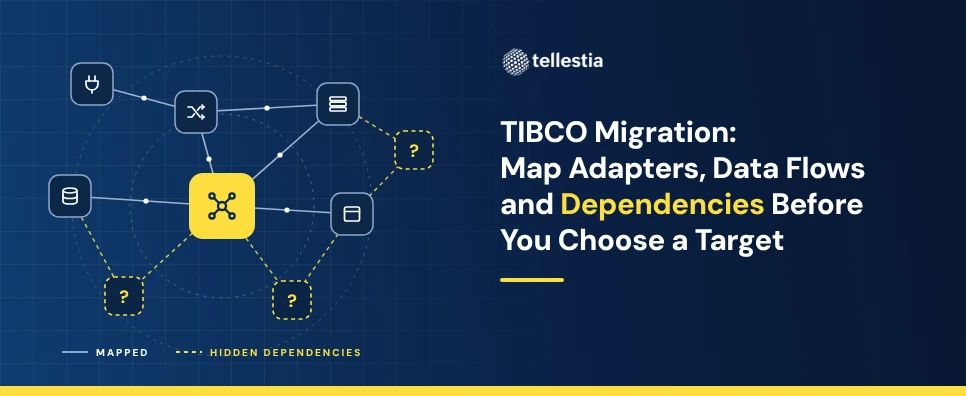
In a TIBCO estate, the riskiest dependencies rarely sit in a process diagram. They sit in configuration, in EMS and in people's heads. Check these five layers for every critical flow.
Schedules and timing. Look for timer starters, external schedulers, and TIBCO Hawk rules that trigger management actions, alerts or scripts affecting process execution and recovery. Which downstream jobs assume a flow has already finished?
Error handling, redelivery and acknowledgement. Examine retry logic within BW processes, EMS redelivery policies, configured undelivered-message handling and error queues. Check that retries, acknowledgements and recovery behave consistently across environments, and whether a retry is quietly hiding an unreliable endpoint.
Security, certificates and network access. Record certificate expiry dates, truststores and keystores, SSL settings in shared resources, service accounts, and partners or firewalls that only accept traffic from your current TIBCO hosts.
Data contracts and messaging behaviour. Find the schemas, mapper logic and code translations that partners and downstream systems depend on. Add the message selectors, transaction boundaries and acknowledgement behaviour that consumers rely on, because these matter most when EMS is replaced.
Ownership and operations. Establish who understands each flow and which flows have no business owner. Capture existing monitoring, incident history, support responsibilities and recovery runbooks.
EMS deserves extra time. Bridges and routes can copy one message to several destinations, so a single queue may feed systems that nobody has linked to it. Draw the messaging topology end to end, from publisher to destination, through every bridge and route, to every consumer. Include EMS failover pairs and disaster-recovery procedures, because they are part of how the estate behaves in production.
In many TIBCO estates, the messaging topology does more to decide how hard a TIBCO EMS migration will be than the BW processes themselves.
Step 3: Score Complexity Before You Compare Platforms
An inventory of a few hundred processes is hard to act on. A score makes it plannable. Rate each flow from 1 (low) to 5 (high) on five technical criteria:
Endpoints and dependencies: from a single source and target, to many systems, chained flows and shared state.
Logic and transformation: from simple mapping, to long-running orchestration, compensation and custom Java code.
Platform-specific constructs: from standard adapters, to custom adapters, proprietary protocols and complex EMS bridging.
Non-functional demands: from low-volume batch, to high volume, low latency or guaranteed delivery.
Documentation and knowledge: from a well-documented flow with a clear owner, to an undocumented flow with unknown dependencies and no accountable owner. This measures discovery risk rather than technical difficulty, but it drives migration effort just as much.
Add the scores for a total between 5 and 25. A total of 5 to 10 is low complexity, 11 to 17 is medium and 18 to 25 is high.
Rate business criticality separately as high, medium or low. Criticality does not make a flow harder to migrate, but it decides which wave the flow joins and how much testing and parallel running it needs.
Treat these bands as a planning heuristic, not an industry standard. Before scoring the whole estate, calibrate the scorecard on ten to twenty flows the team knows well, so that a 3 means the same thing to every assessor, and adjust the weighting if a particular technical or operational risk dominates your estate.
Low-scoring flows become your early candidates for proving a target platform. High-scoring flows need discovery and design before anyone writes a line of code.
Step 4: Shortlist TIBCO Migration Targets Against Real Requirements
With a scored inventory in hand, the target options fall into two groups.
Stay and modernise on TIBCO. Upgrade within BW 5.x to the 5.16.1 LTS release, or move to ActiveMatrix BusinessWorks 6. Since version 6.12.0, BusinessWorks Container Edition has been merged into BusinessWorks 6 as one product covering on-premises and container deployment, and 6.12.0 is an LTS release supported through August 2030. Pair this with an EMS upgrade to the 10.4.x LTS release where needed, or evaluate TIBCO's cloud integration offerings.
Move off TIBCO. A TIBCO to iPaaS migration is one option. Others adopt cloud-native integration and messaging services, or combine both in a hybrid architecture, usually moving one flow at a time. Which fits best depends on your messaging, deployment and operational requirements.
Write your requirements from the inventory, not from vendor datasheets. Start with messaging, because JMS compatibility alone does not guarantee equivalent behaviour. For example, an EMS durable subscriber receives the messages that accumulated while it was offline, subject to its configuration, message expiration and storage limits. A replacement must be tested against behaviours like that, not just a feature checklist.
Requirement
What to check beyond "supports JMS"
Guaranteed delivery
Persistent versus non-persistent delivery, and storage behaviour
Message ordering
Ordering scope, and behaviour with concurrent consumers
Durable subscriptions
Subscription identity and message selectors
Request-reply
Correlation IDs and reply destinations
Transactions
Transaction boundaries and acknowledgement behaviour
Connectivity
JMS compatibility and protocol differences
Then check every candidate against the rest of your estate:
Connectivity: an equivalent for every adapter in use, or a plan to replace it with APIs.
Volume and latency: peak loads, including month-end and seasonal spikes.
Deployment: cloud, on-premises or hybrid, plus any data residency rules.
Operations: monitoring, alerting, message resubmission and certificate management.
Skills: what your team can build and run, and what it would need to learn.
Total cost: existing licence and support entitlements, target platform subscription, infrastructure and hosting, migration and implementation, parallel running and testing, operational support and training, and decommissioning.
Then prove it. Run a proof of concept on two or three candidates using real flows from your inventory, one simple and one complex. Measure the build effort, performance and operational fit. A demo built on the vendor's own example tells you much less than one of your own flows running on the platform.
Step 5: Phased Cutover and Testing That Protects Live Messaging
Once a target is chosen, migrate in waves. Group flows by business transaction, not by artifact: an order-to-cash flow may touch a dozen BW processes and several EMS queues, and they need to move and be tested together. Before the first wave, build the foundation on the target platform: environments, CI/CD, security, network connectivity and monitoring.
Test every wave in five layers:
Functional: each flow produces the right output for known inputs.
Regression: historical production messages are replayed and the results compared.
Performance: peak volumes and latency, including month-end loads.
Partner end to end: trading partners confirm connectivity, formats and acknowledgements.
Operational: alerts, failover, resubmission and runbooks are rehearsed.
Then choose a cutover pattern for each wave:
Shadow run. The new flow processes mirrored or controlled copies of production messages. Its outputs are compared with the existing implementation, while external side effects such as database writes, API calls and notifications are suppressed or isolated. This validates behaviour without creating duplicate business transactions. Best for high-criticality flows.
Phased cutover. Traffic moves in slices, by partner, route or message type. During coexistence both platforms are live, so the routing between them must be explicit and owned.
Big-bang with rollback. All flows in a small, tightly coupled wave switch together inside a planned window, with a rehearsed and timed rollback.
A TIBCO EMS migration needs a dedicated messaging cutover plan, because there is no universal, automatic way to move EMS state to another platform. Account for persistent and in-flight messages, outstanding acknowledgements, durable subscription identities, message selectors and redelivery behaviour. Decide whether messages should be drained, forwarded, replayed or reconciled, and put duplicate-detection controls in place before switching consumers. Keep the existing EMS environment running until every dependent producer and consumer has been migrated and validated.
Agree the reconciliation threshold before each parallel run starts, and follow every cutover with a period of hypercare. A migration is not complete when the new platform goes live. It is complete when the old integration workloads have been retired, dependencies have been verified, operational ownership has transferred and the legacy environment can be safely decommissioned, while keeping anything you must retain for audit, regulatory or contractual reasons.
Turn Your TIBCO Estate Into an Evidence-Based Migration Plan
A TIBCO BW migration rarely fails because of the platform it lands on. It fails because of what nobody knew the old estate was doing. Inventory it, map its dependencies, score its complexity and test your target against real requirements, and the decision between staying, upgrading and leaving stops being a guess.
For the full method, download the Legacy Middleware Migration Playbook. It includes a TIBCO decision guide, the Integration Complexity Scorecard, a 12-step migration roadmap and a 90-day assessment plan your team can start on Monday.
If you would rather move faster with an experienced team alongside you, see how Tellestia approaches legacy middleware migration.
TIBCO Migration FAQs
1. Is TIBCO BusinessWorks 5 end of life?
No. TIBCO has announced no end-of-support date for the BW 5.x platform. Individual releases are retired over time: BW 5.15.0 and 5.15.1 reach end of support on 30 November 2026, and BW 5.16.1 is the current LTS release, supported until at least February 2030.
2. Should we upgrade to BusinessWorks 6 or move to an iPaaS?
It depends on what your inventory shows. Estates with heavy EMS use and stable, well-understood processes may be well served by staying on TIBCO. Estates with many undocumented flows, or a strategy to standardise on a different platform, often benefit from rebuilding on an iPaaS in waves.
3. What is the hardest part of a TIBCO EMS migration?
Usually the messaging topology. Bridges, routes and durable subscribers can connect systems in ways no diagram shows, so map them end to end before choosing a target.
4. Can TIBCO EMS be migrated to another messaging platform without losing messages?
There is no universal method that guarantees this automatically. The approach depends on message persistence, outstanding acknowledgements, durable subscriptions, transactions, delivery guarantees and the target platform's capabilities. A sound plan includes controlled message transfer, replay, reconciliation and duplicate detection.
5. Should we migrate TIBCO BusinessWorks and EMS together?
Not necessarily. It depends on how tightly your processes are coupled to the messaging layer. Some estates can migrate BusinessWorks processes first while keeping EMS temporarily. Others need a coordinated move because their processes depend heavily on EMS-specific messaging behaviour.
Shyam Sundar
Technical Architect
Share Blog Via:
Shyam Sundar is a Technical Architect at Tellestia, with a deep passion for building scalable and future-ready tech solutions. He shares insights on architecture, engineering best practices, and emerging technologies.